Building a full DevSecOps pipeline for a fictional VFX studio on AWS, from scratch, inside the free tier. New to Terraform, Docker, Kubernetes and CI/CD, so I’m learning hands-on: I make the architecture decisions and document the why behind each tool, using Claude AI to generate the heavier code and commands, which I then run, break and own. All tested locally with Floci (a local AWS emulator) before touching a real AWS account. Building in public as I go.
TECHNICAL BLOCKS
Core pipeline (7 blocks):
✅ 01. Network – VPC, per-department subnets, VPN, NACLs
✅ 02. Storage – S3 + DynamoDB, versioning, encryption
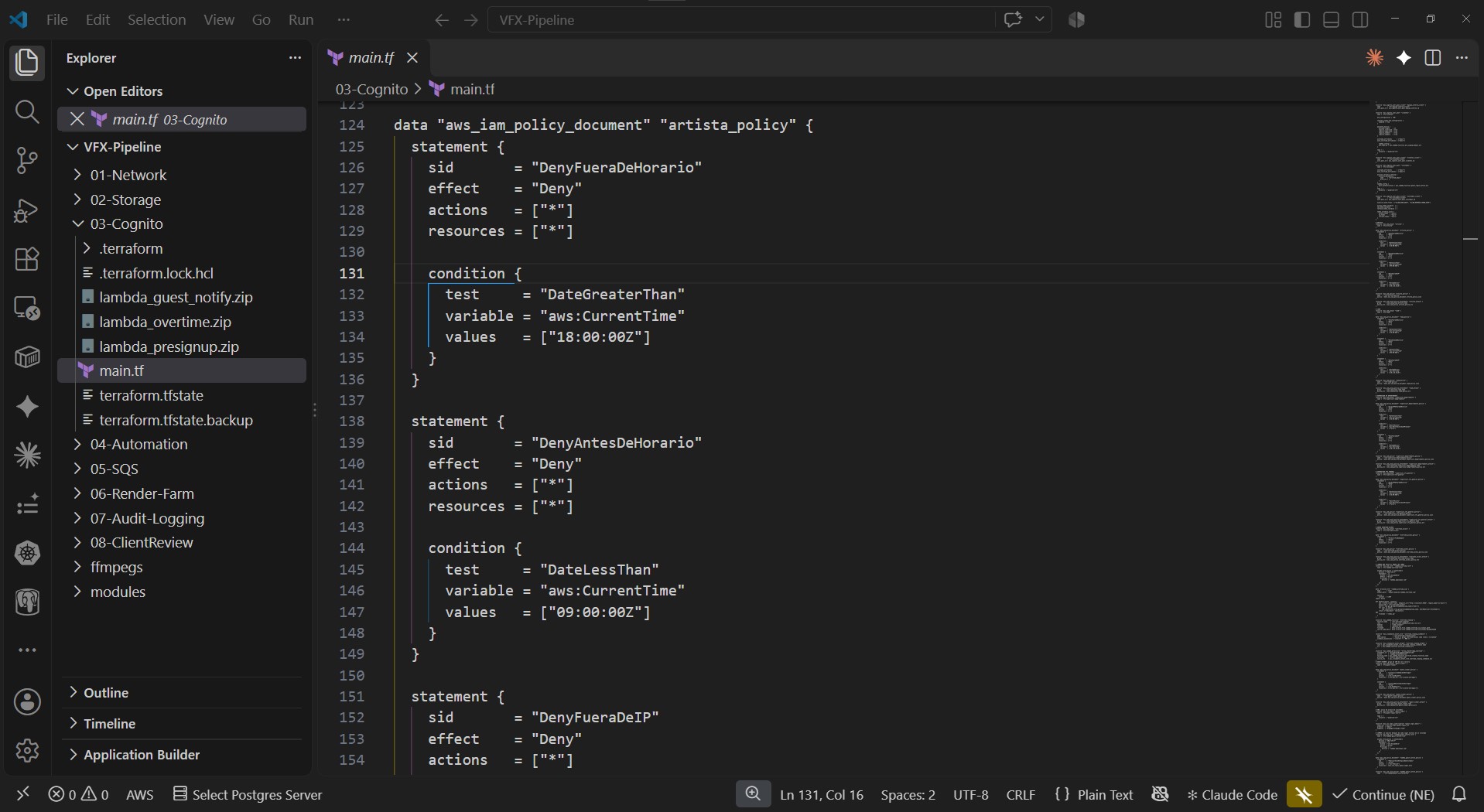
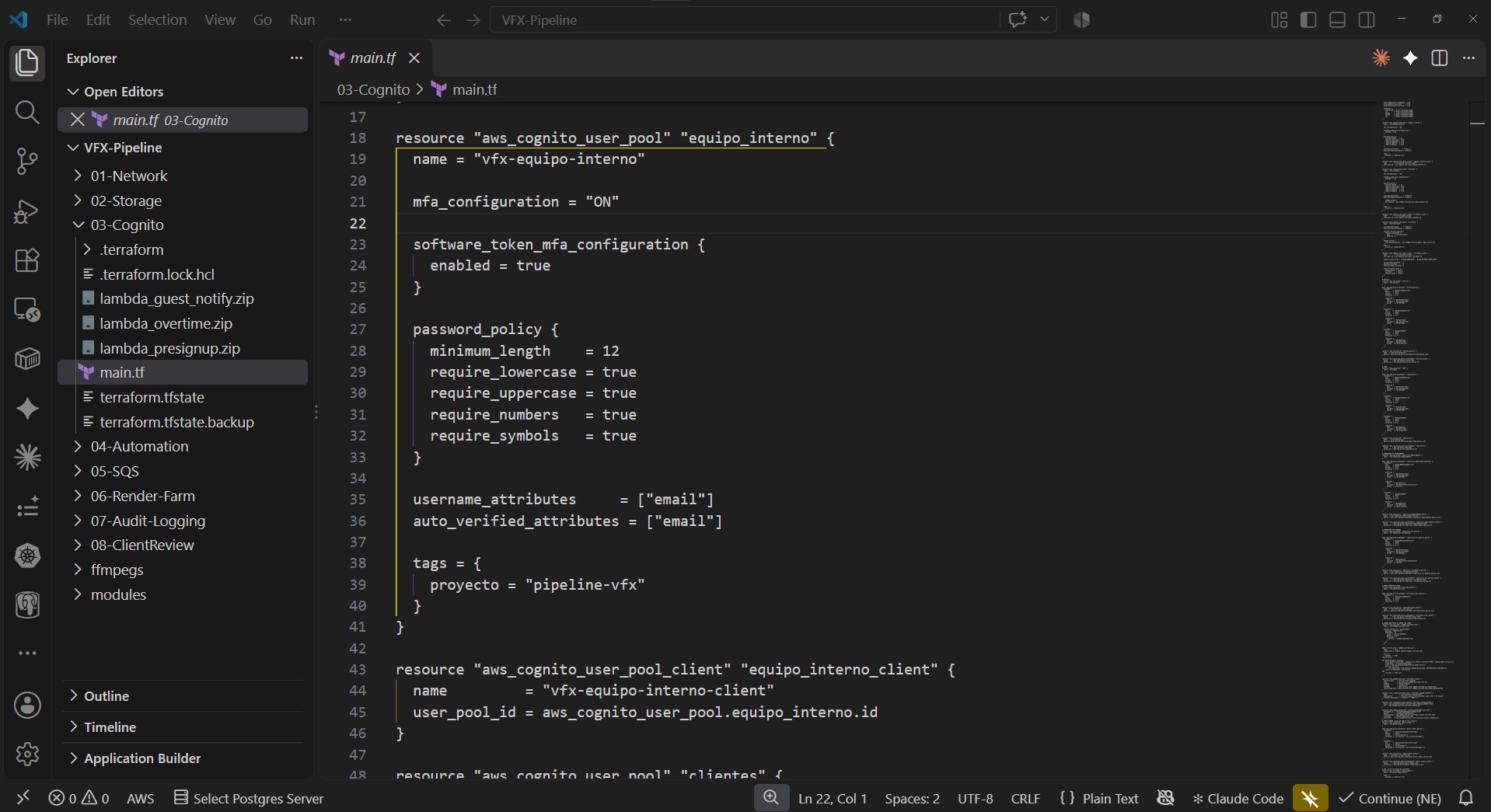
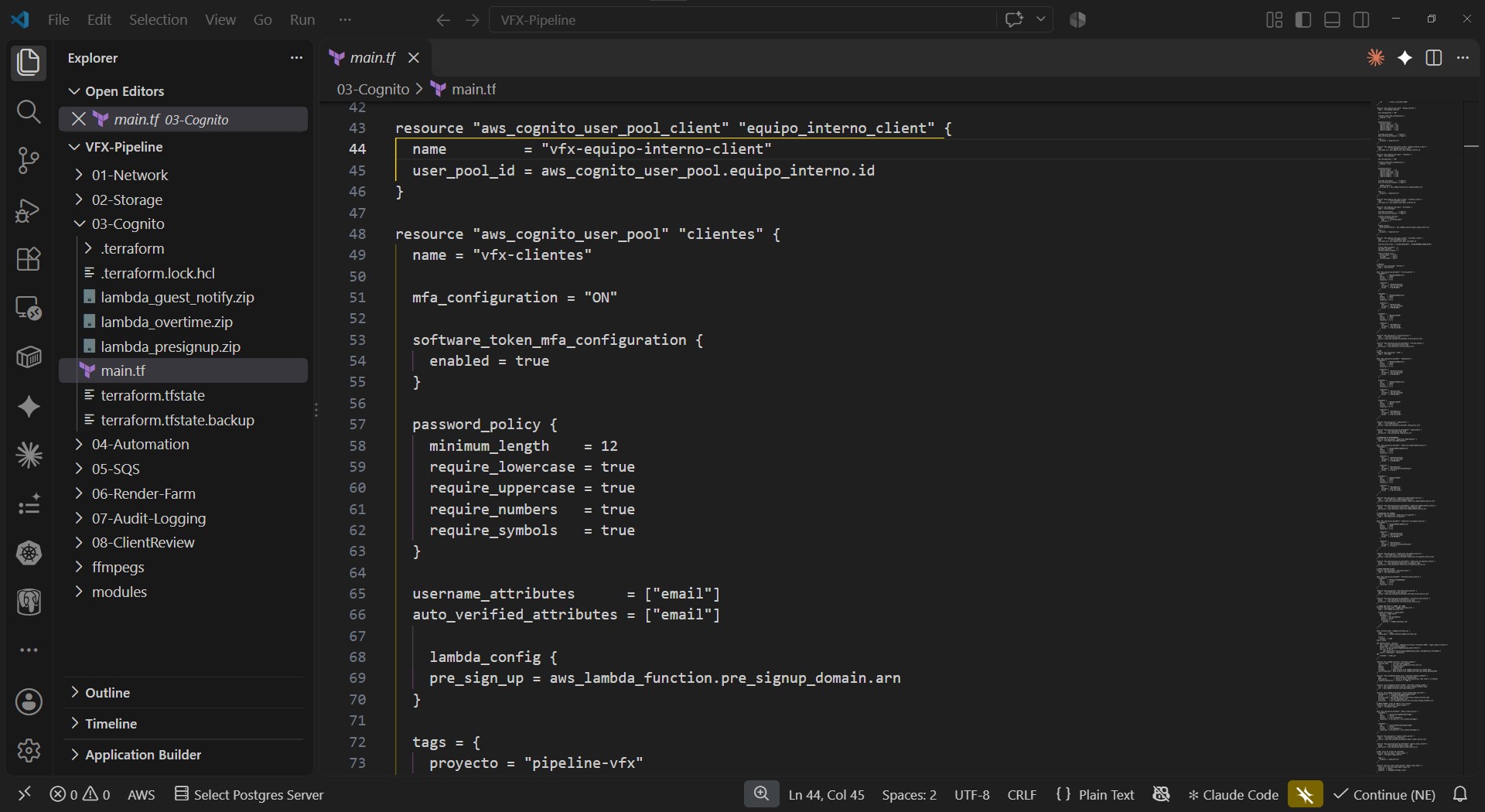
✅ 03. Identity – Cognito (MFA, 3 user pools), IAM with time/IP-based access policies
✅ 04. Automation – Step Functions, SNS, Lambda (FFmpeg), SyncSketch integration
✅ 05. Render Farm – SQS, EC2 Spot + Auto Scaling
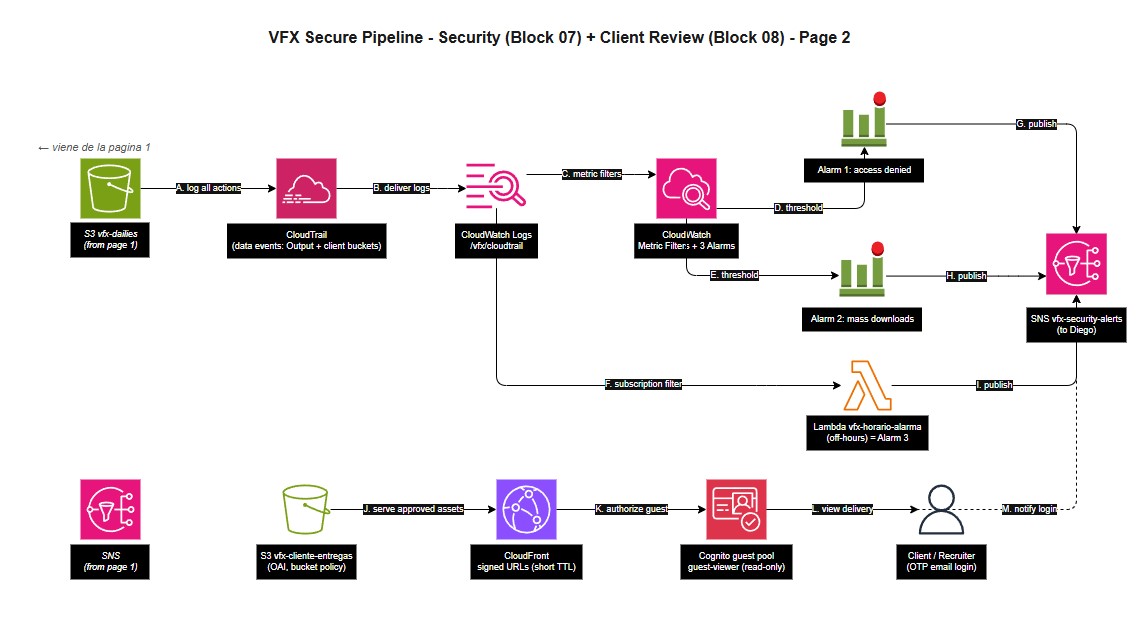
✅ 06. Audit Logging – CloudTrail, CloudWatch alarms
✅ 07. Client Review – CloudFront signed URLs, guest access for Recruiters
Cross-cutting topics (not tied to a single block):
– Governance amp; cost control (Budgets, tagging, Cost Explorer)
– Tool comparisons amp; trade-offs (Terraform vs CloudFormation, etc.)
– Multi-project isolation setup in Floci – Public documentation amp; architecture diagrams
—
BLOCKS 01-03 DETAIL (done so far):
01. Network
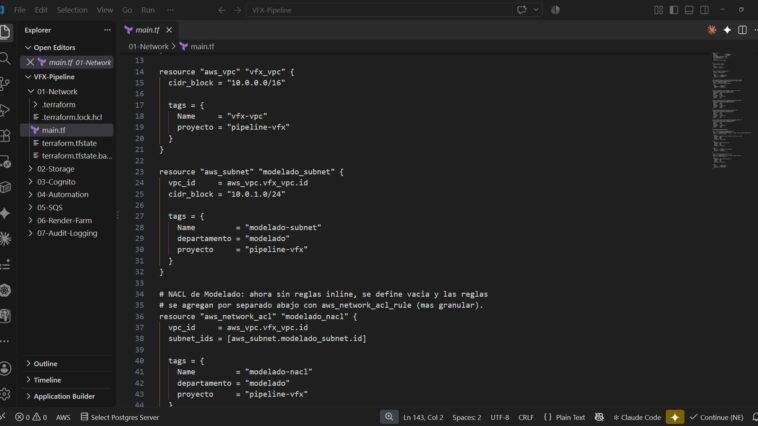
– VPC with one dedicated subnet per department, so no cross-department access.
– VPN for remote access, simulating a real studios internal network.
– NACLs as a second defense layer per subnet, on top of Security Groups.
02. Storage
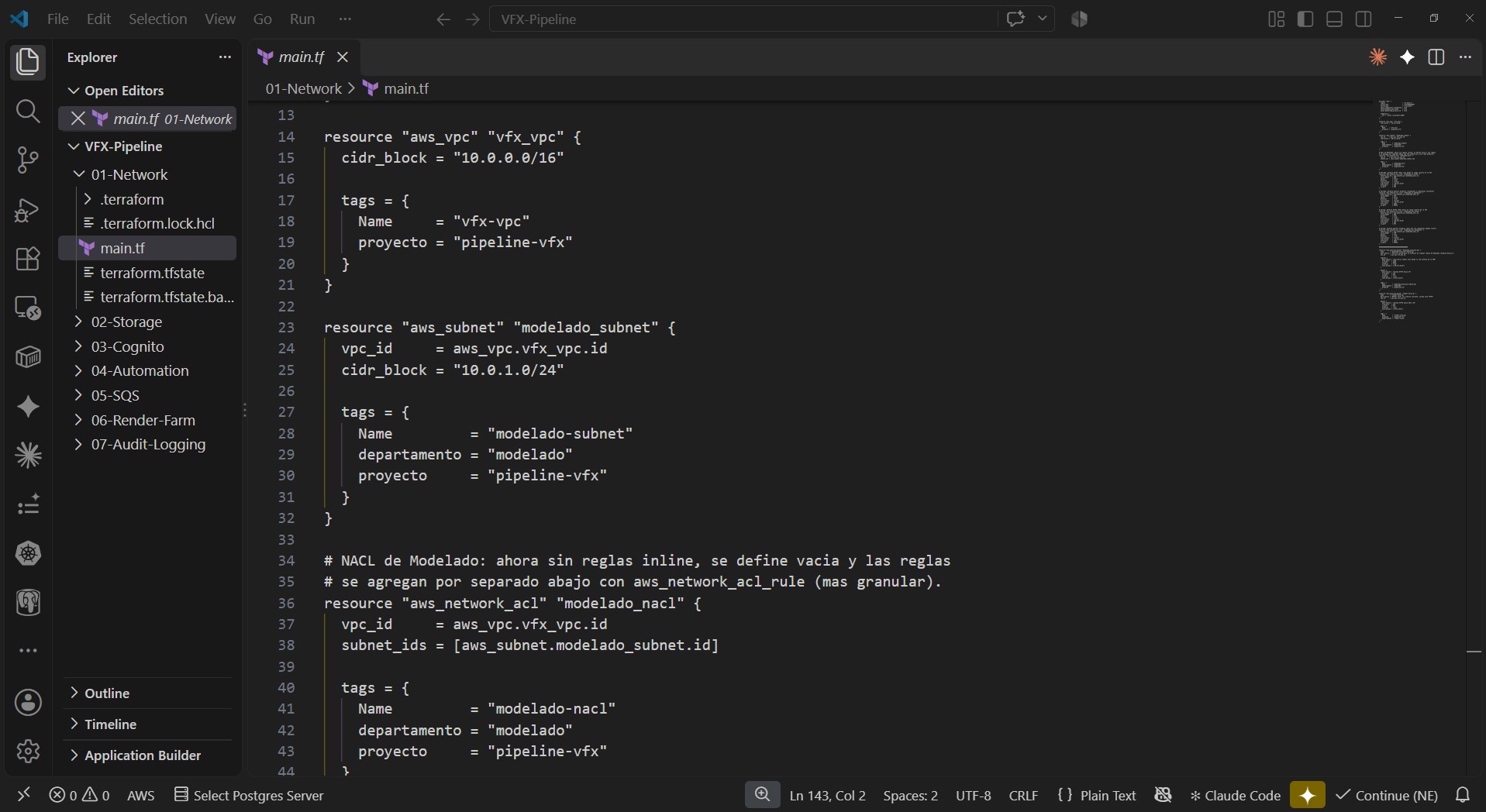
– S3 buckets per department (Input / Output / Dailies) with native versioning on.
– DynamoDB for human-readable metadata per asset version (who uploaded, when, approval status).
– Encryption at rest by default, automatic version naming handled by Lambda (no manual versioning).
03. Identity
– Amazon Cognito: 3 separate user pools (internal team, clients, guests), MFA enforced for the internal team via software token.
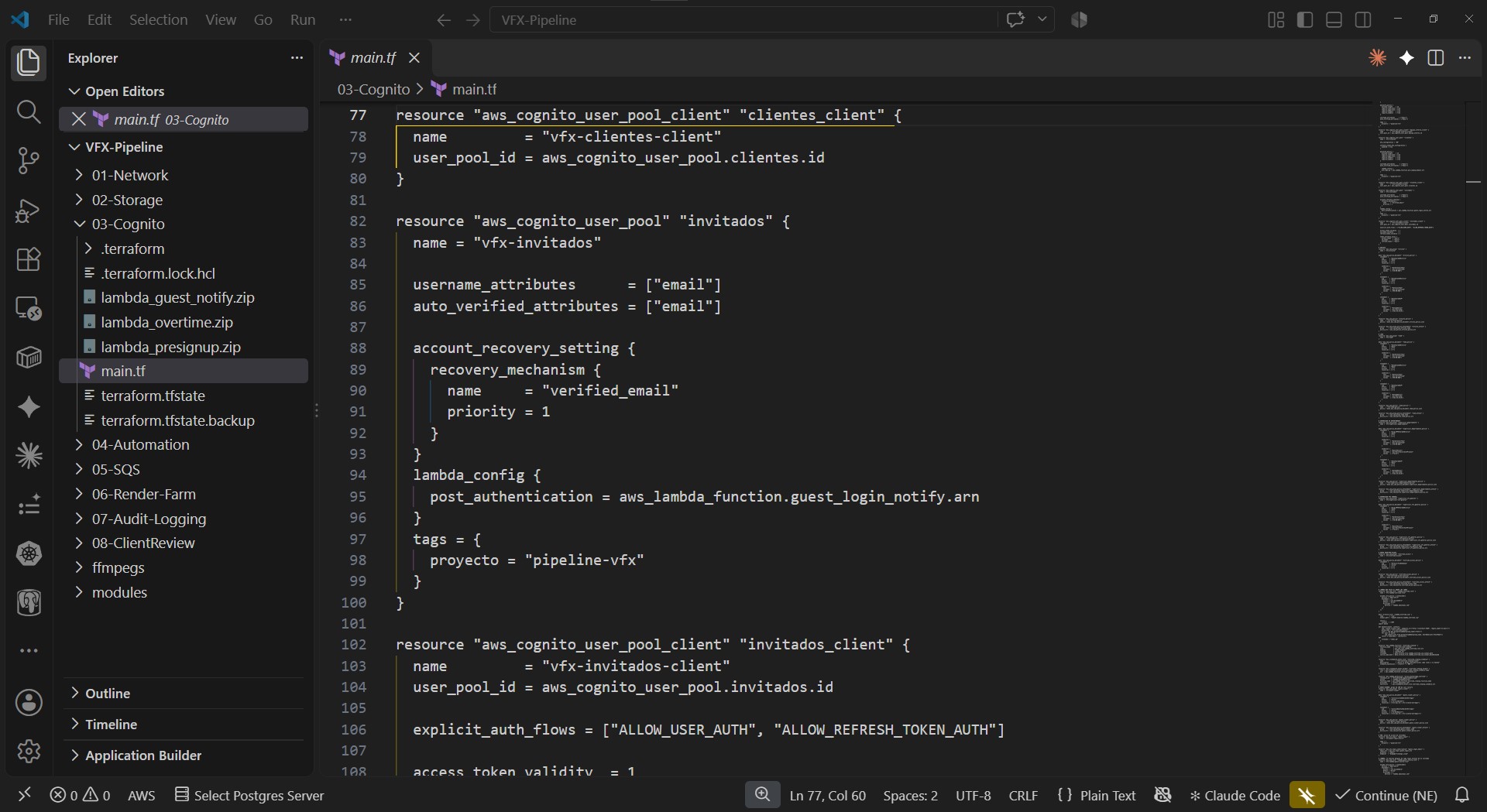
– Guest pool uses passwordless EMAIL_OTP login with short-lived sessions, for sharing read-only access with recruiters/interviewers without exposing write permissions.
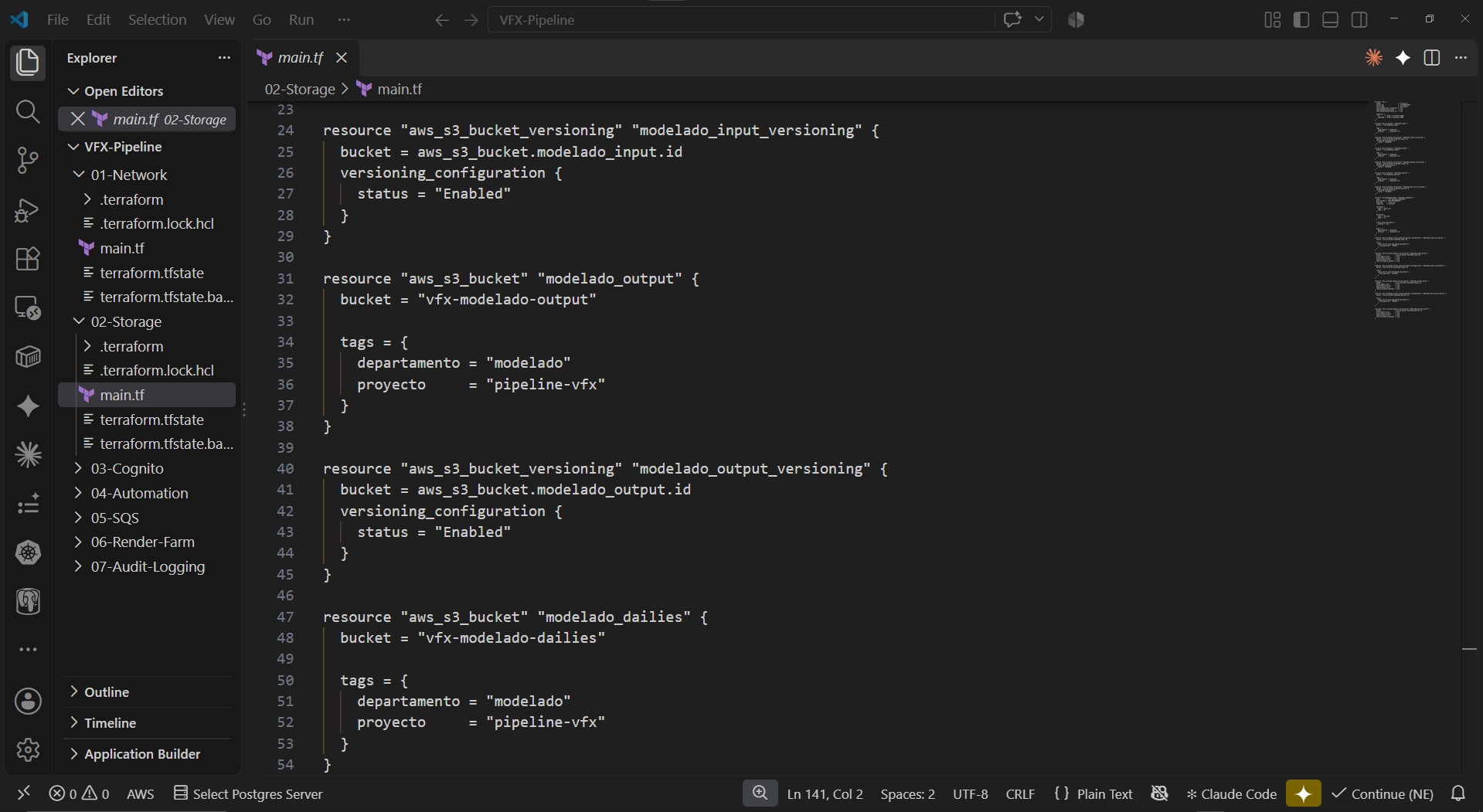
– IAM: 4 roles (Artist, Lead, Department Supervisor, VFX Supervisor) with layered access policies – time-based restrictions (deny outside business hours) and source-IP restrictions (VPN range only).
Supervisors aren’t hard-blocked after hours, they’re required to step up with MFA instead, with the access still logged and alerted.
– Built an `overtime-access` IAM group with automatic cleanup: EventBridge + Lambda remove users from the group every Monday morning, so temporary weekend/after-hours access doesn’t linger.
All tested and verified end-to-end against Floci (local AWS emulator) before anything touches a real AWS account.
Block 04: Automation (Part 1 of 2) — Architecture decisions
Continuing my DevSecOps pipeline for a fictional VFX studio on AWS, built inside the free tier. I make the architecture decisions and document the why behind each tool, using Claude AI to generate the heavier code and commands, which I then run, break and own. All tested locally with Floci (a local AWS emulator) before touching a real AWS account.
Block 04 is the automation brain of the pipeline — how an asset moves from uploaded to approved. The key design calls:
→ Orchestration: AWS Step Functions, not a chain of loose Lambdas. The whole approval journey of an asset is visible in one place, and if a step fails you see exactly where. A DynamoDB update Item step stamps each assets approval status, who reviewed it and when, before notifying.
→ Notifications: Amazon SNS to alert leads/supervisors on approval or rejection (SES kept as a simpler mail-only alternative).
→ Video generation: FFmpeg on Lambda, NOT AWS MediaConvert. MediaConvert has no real free tier (charged per output minute); FFmpeg on a Lambda layer is up to ~98% cheaper and fits the Lambda free tier. It burns in time-code and absolute frame number in a single pass.
→ Review tool: SyncSketch (industry standard, used by studios like Riot Games), over Frame.io / QuickReviewer, and over building my own mini Frame.io — out of scope for an infrastructure project.
→ Security detail — watermark as a security layer: the studio logo is burned in only when material leaves the circle of reviewers/approvers toward outside people. Every approval review (internal AND client) travels clean, so a logo-stamped file outside that circle is a signal it escaped the approval flow.
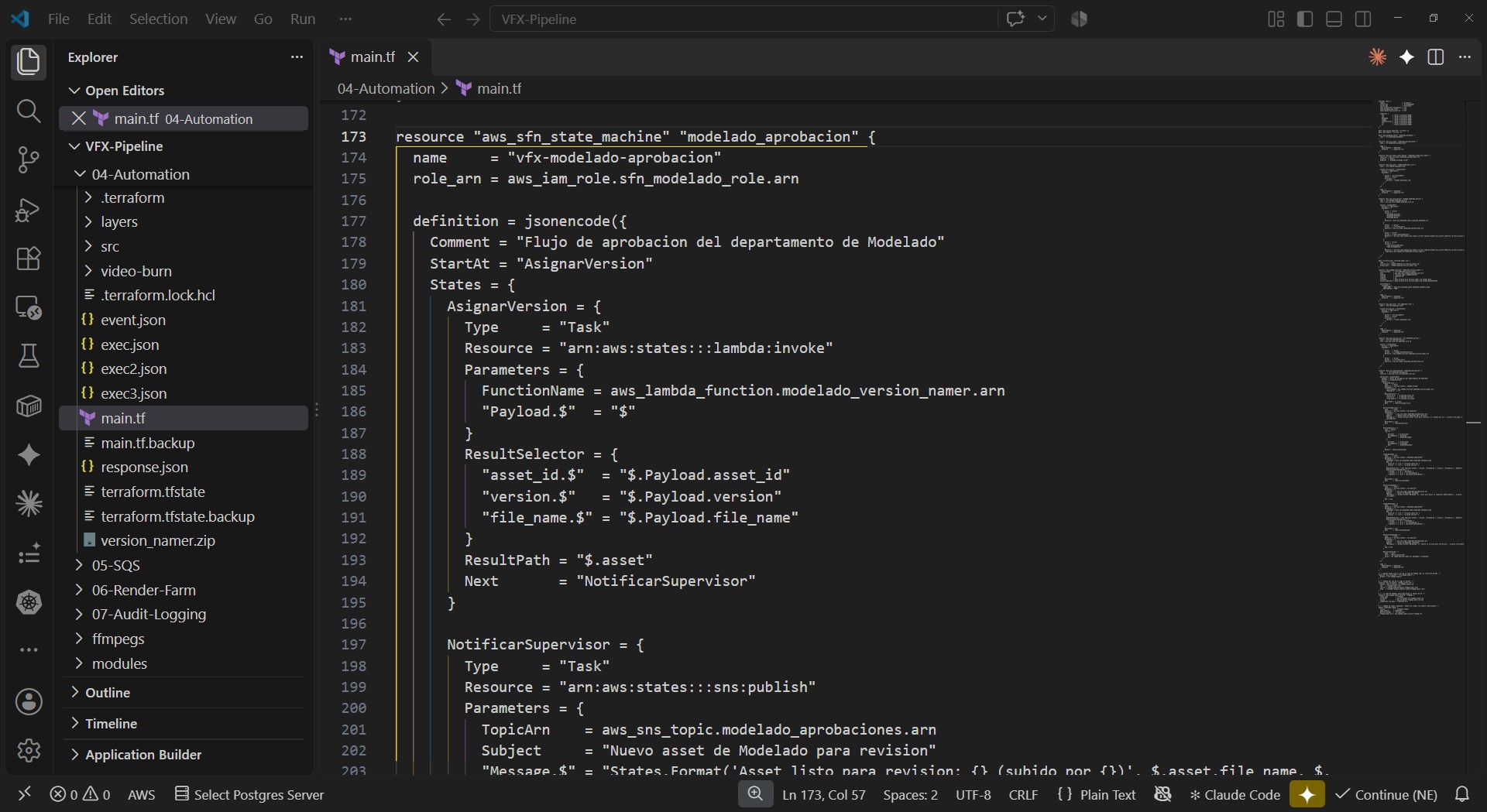
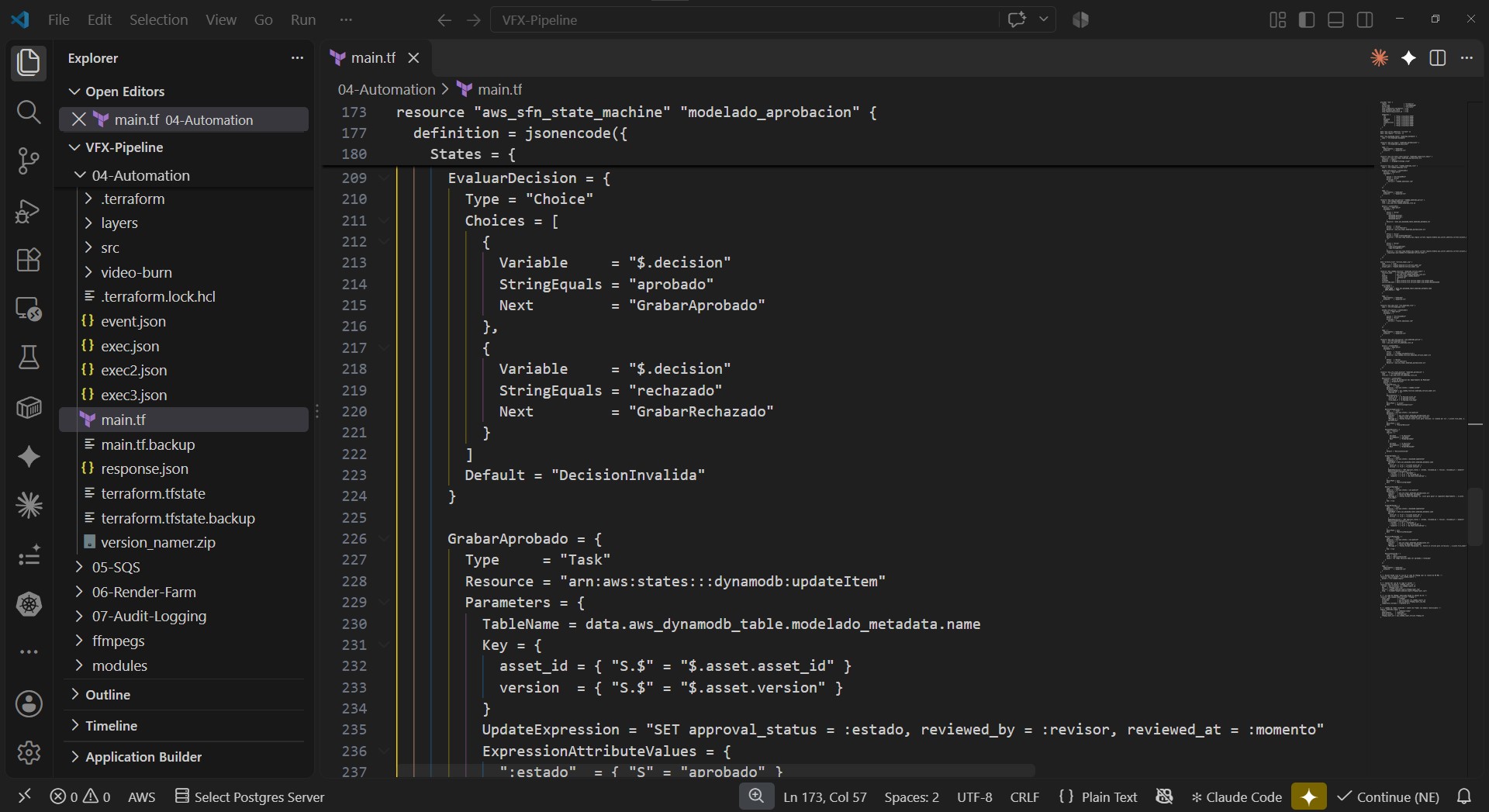
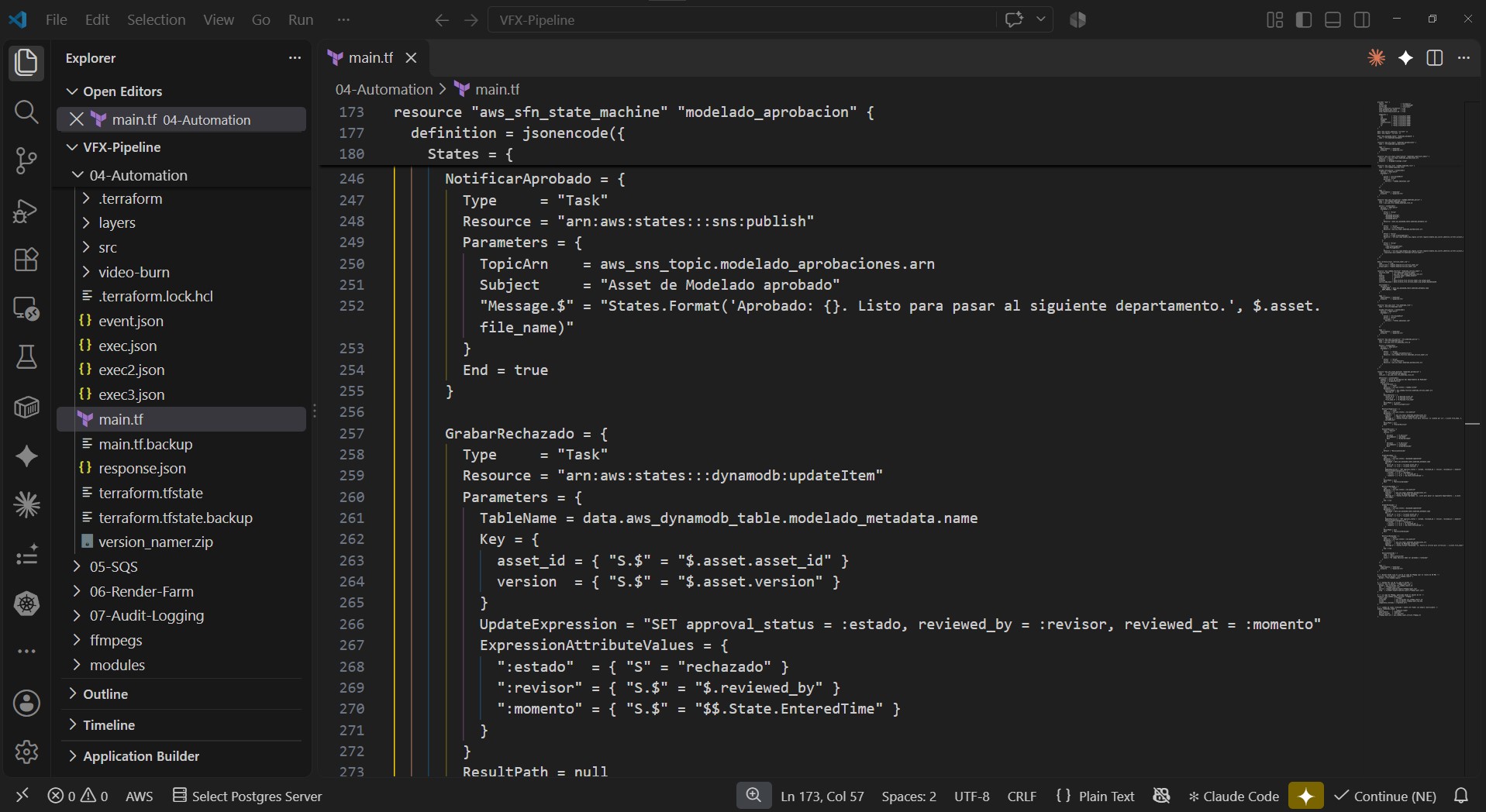
What I built in Block 04:
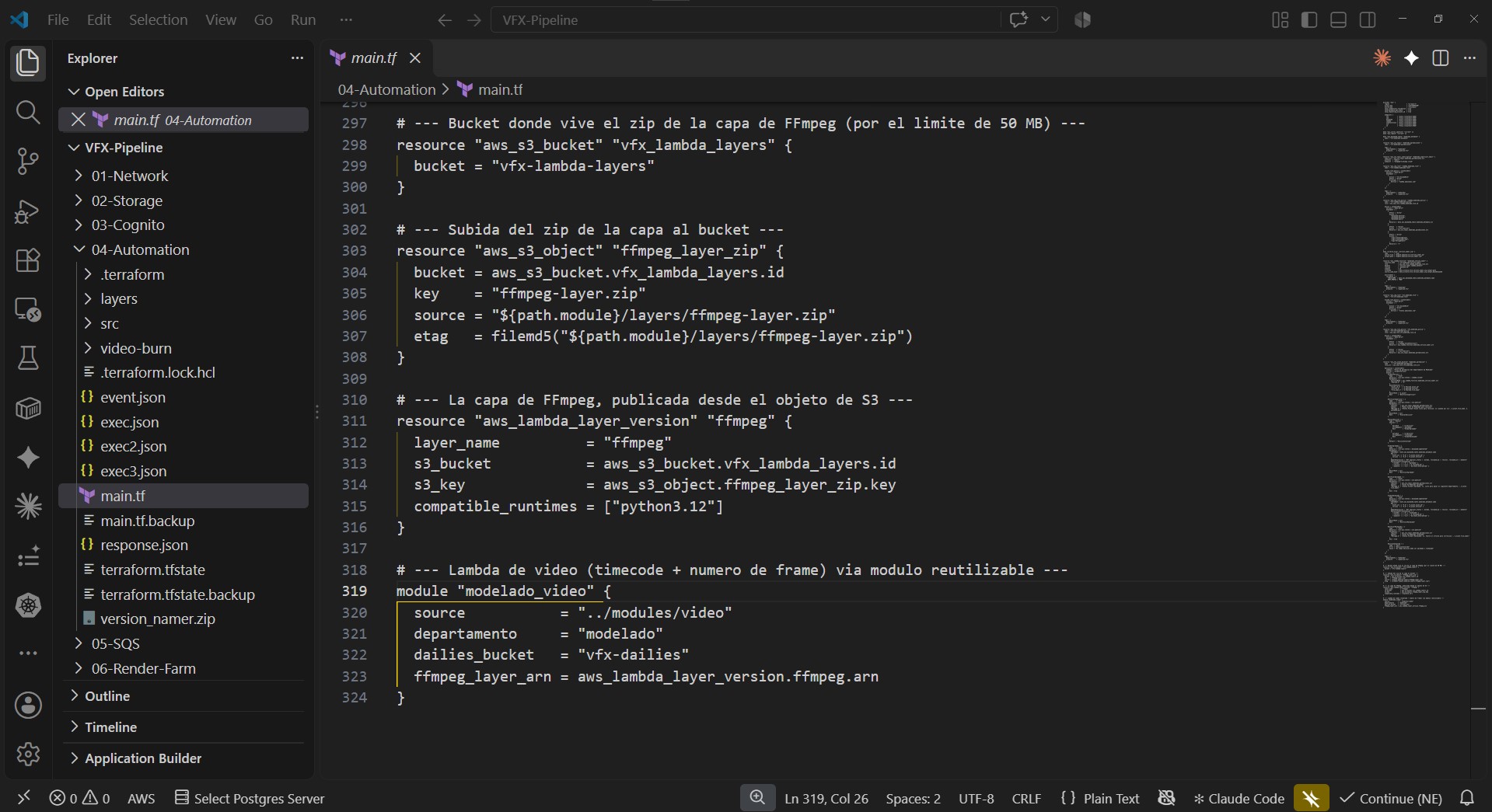
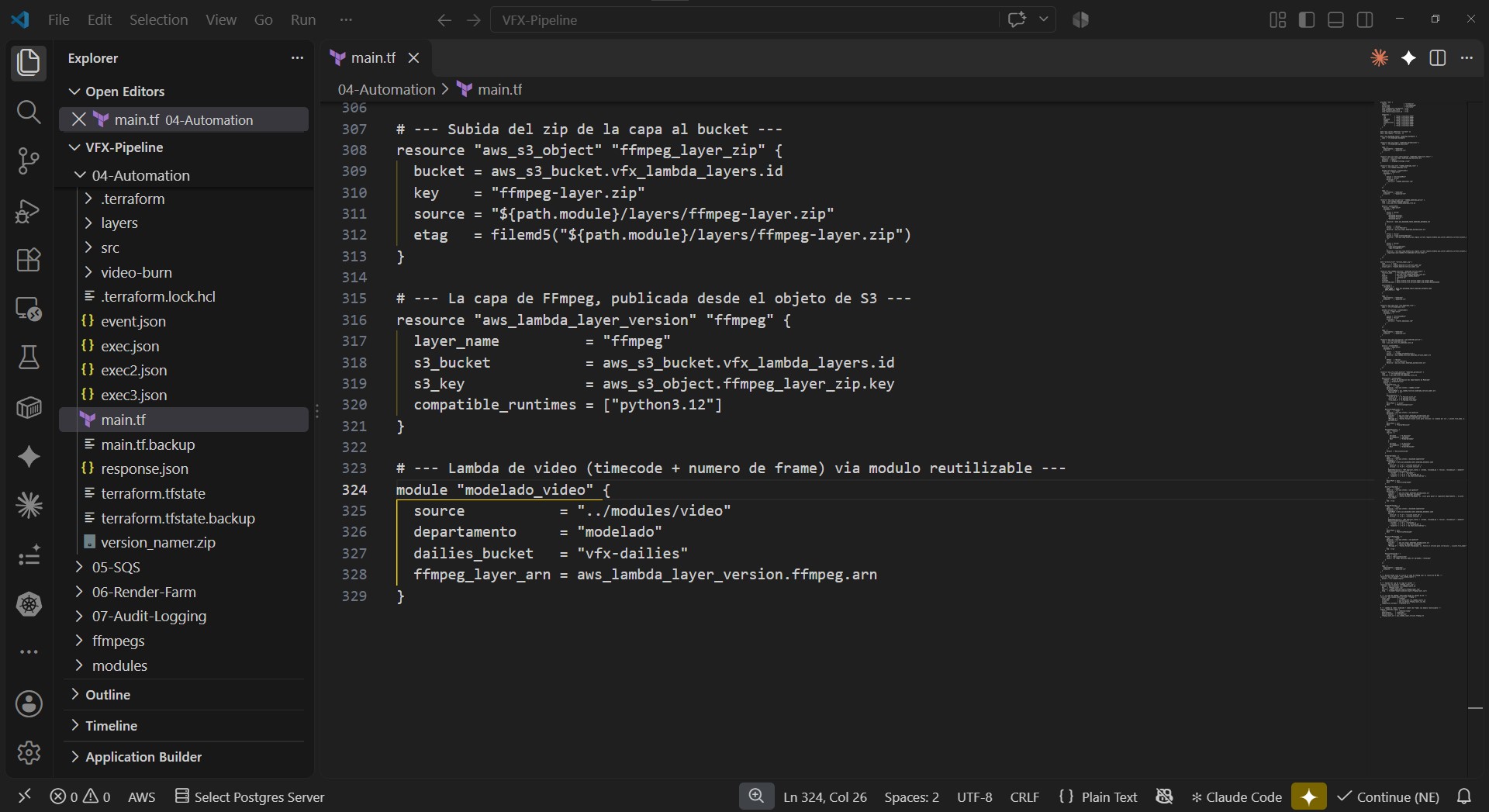
→ Reusable Terraform modules, not one giant file per department. A storage-base module (Input/Output buckets, versioning, encryption) and a video module (IAM role, least-privilege policies, the FFmpeg Lambda). Departments aren’t identical copies — Modelado doesn’t export video, so it only pulls the base module; Animation/FX pull both. The department is just a parameter.
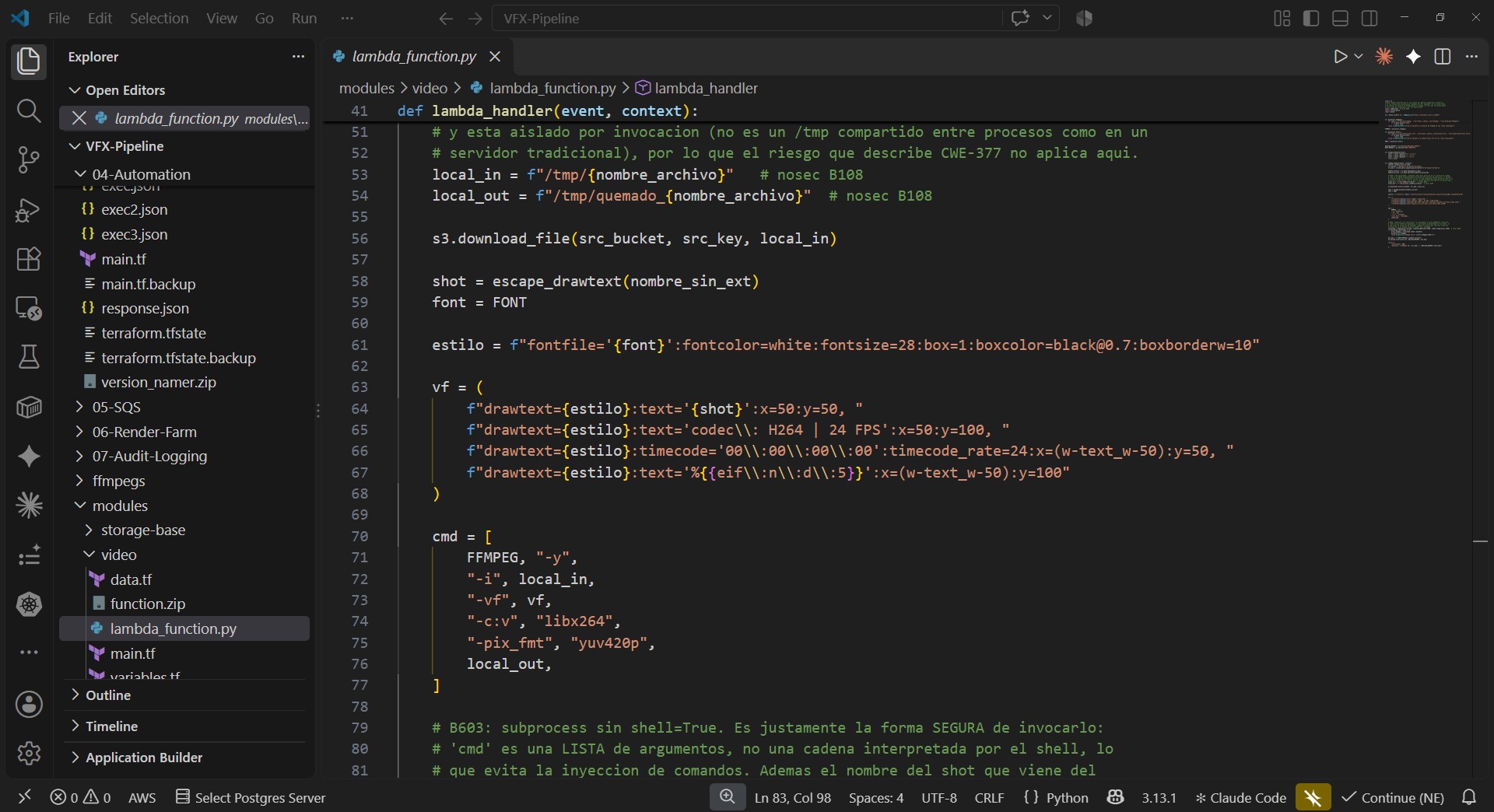
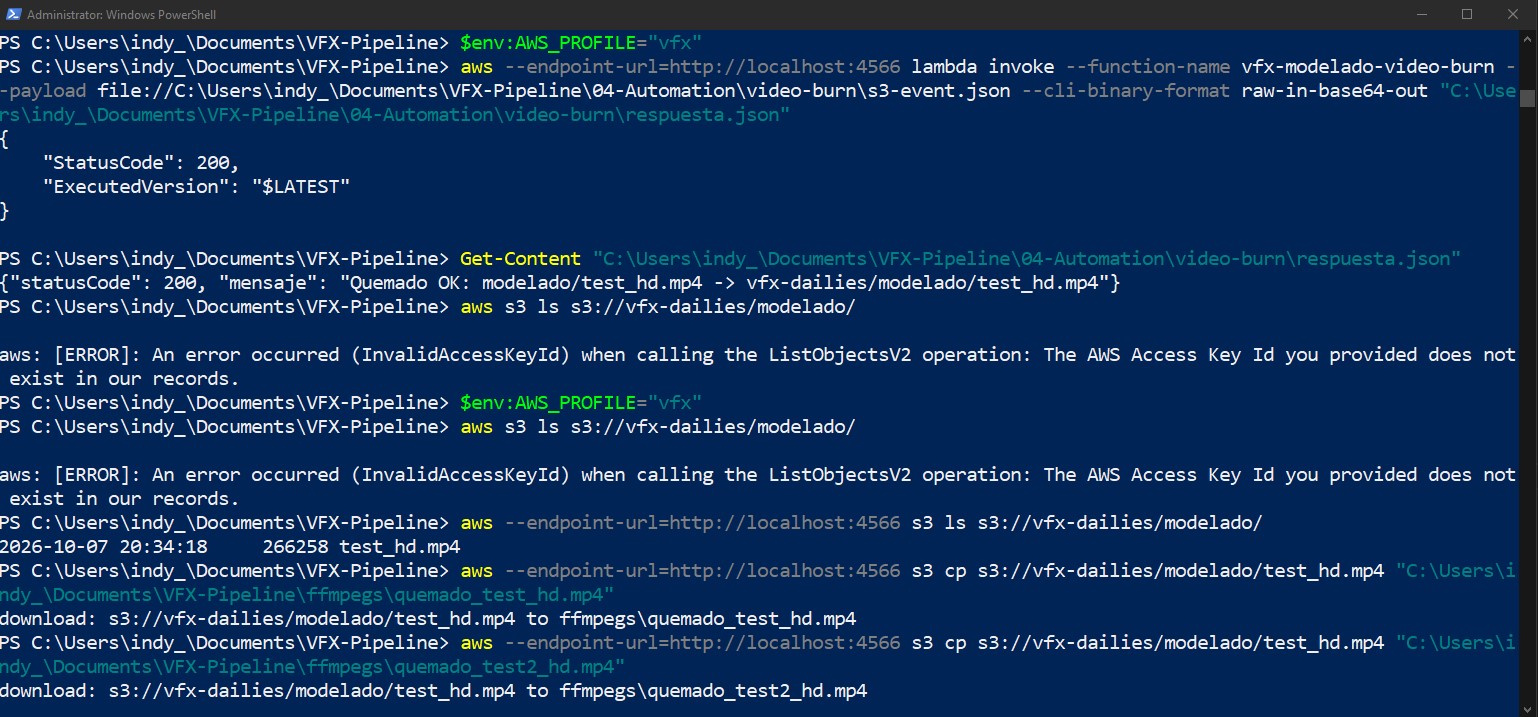
→ The FFmpeg Lambda running end-to-end in Floci, burning in shot name, time-code and frame counter, dropping the result into a shared vfx-dailies bucket. Getting there meant chasing 3 chained bugs: a localhost that pointed at the wrong container, a layer zip with Windows backslash paths (a known Compress-Archive bug — rebuilt with tar), and an FFmpeg build with no drawtext filter (swapped for a static build that ships freetype).
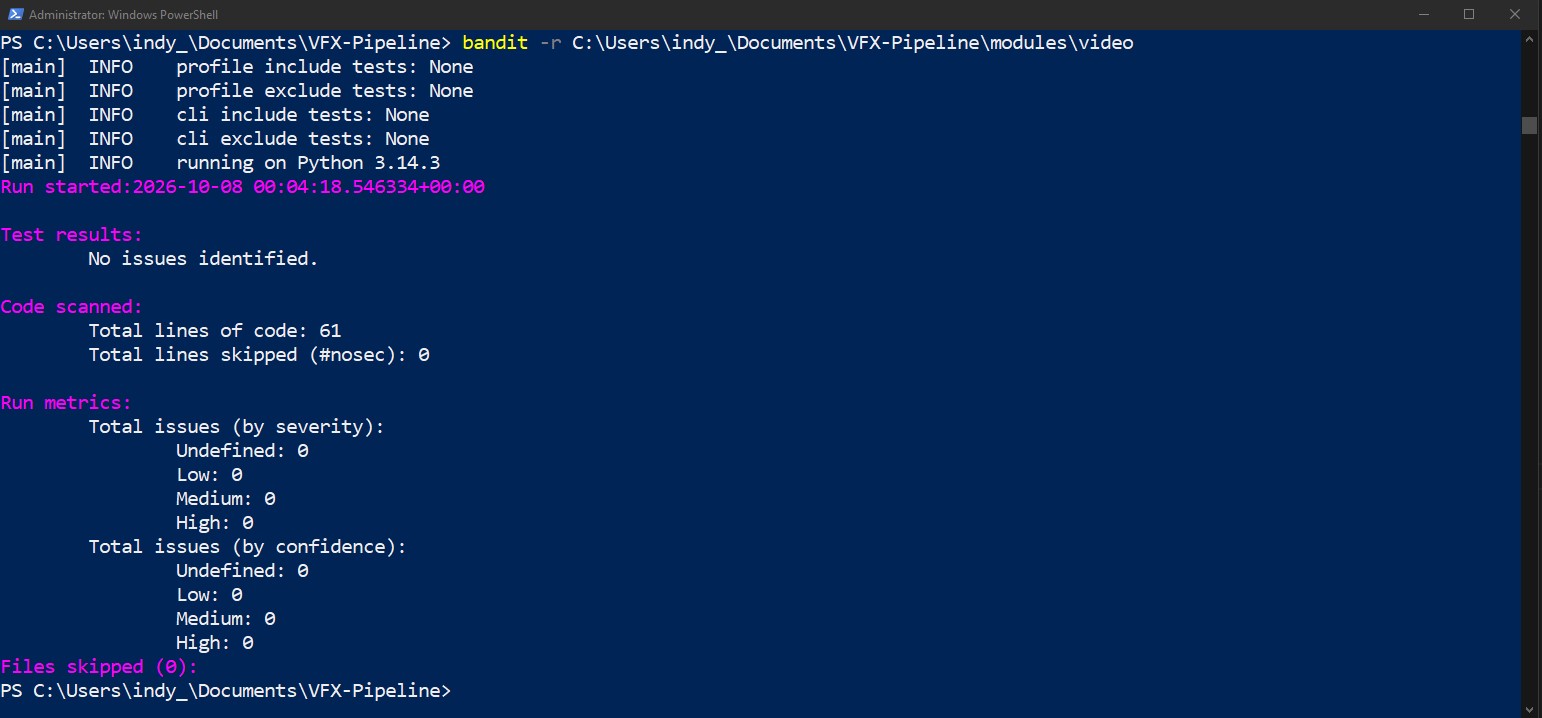
→ SAST on my own code with Bandit — the Sec in DevSecOps. I chose Bandit over Semgrep (Python-specific, zero-config, right-sized for a few Lambdas; Semgrep noted as the next step if it grows multi-language). First run flagged 4 findings — all false positives of the Lambda context (subprocess use, hardcoded /tmp). I analyzed each, justified it in the code itself, marked them accepted, and the final run came back clean: zero findings.
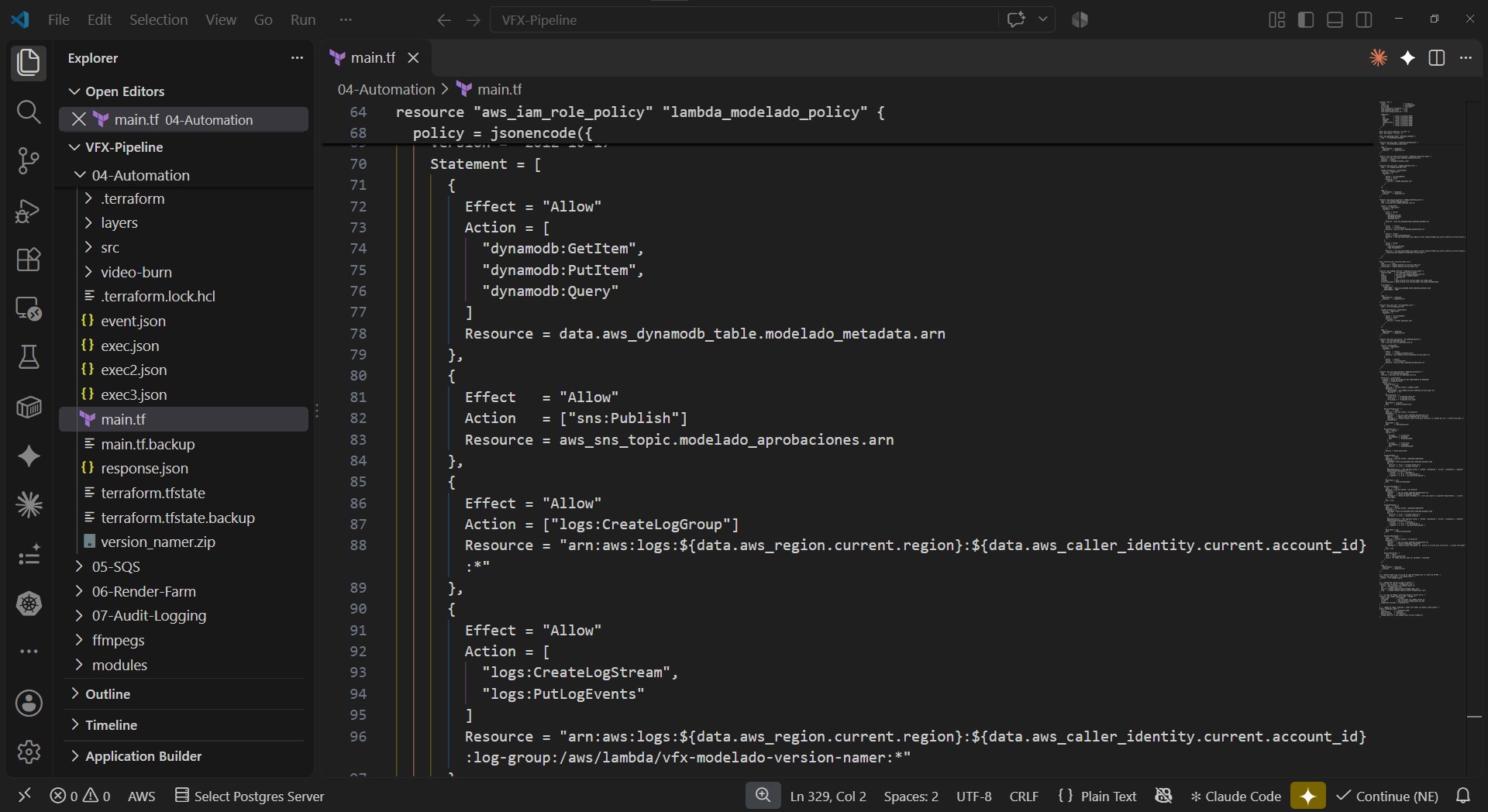
→ Least-privilege pass over my own Terraform: I caught a log policy still using Resource: * and scoped it down to that functions own log group — exactly the kind of over-permissive default worth hunting down.
Block 04 done. Next up: Block 05 — the render farm (SQS + EC2 Spot + Auto Scaling).
All tested and verified end-to-end against Floci (local AWS emulator) before anything touches a real AWS account.
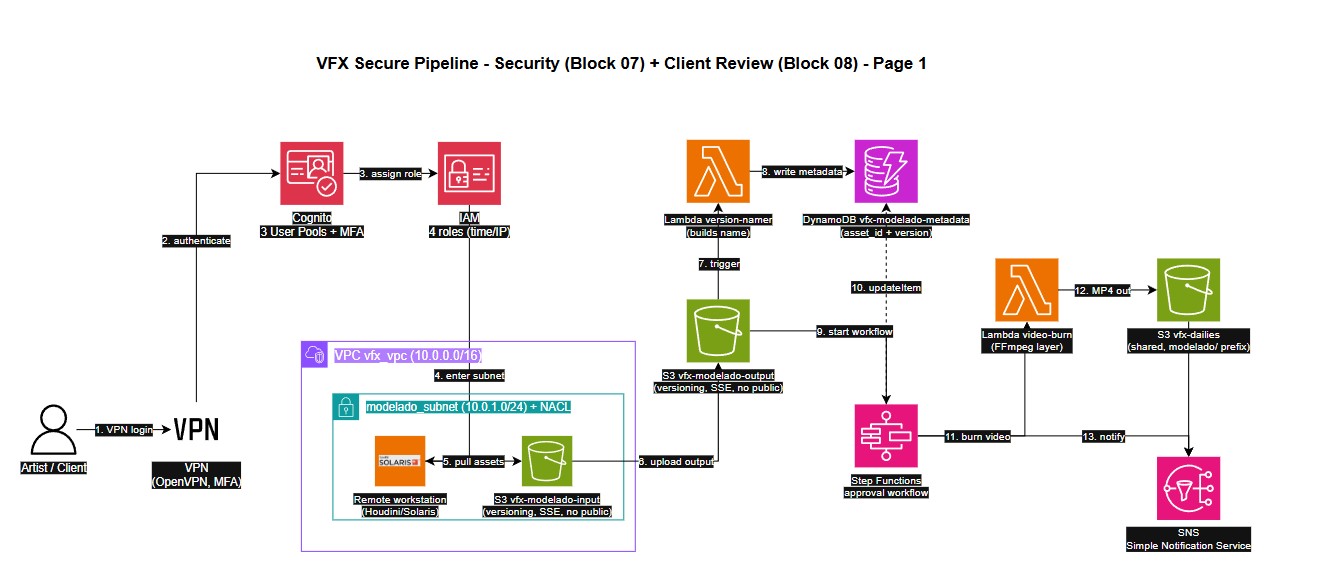
Architecture diagram: the foundation (Blocks 01 to 04).
Four blocks into my DevSecOps pipeline for a fictional VFX studio on AWS, here’s the first architecture diagram, built with the official AWS icon set in Draw.io.
I make the architecture decisions and document the why behind each tool, using Claude AI to generate the heavier code and diagrams, which I then review, adjust and own.
Block 04 Automation: Chasing a Silent Bug in the Pipeline
Continuing to build my DevSecOps pipeline on AWS for a fictional VFX studio, my portfolio project to break into Cloud/Security. This phase was about automating video generation for the pipeline: every asset that moves through the studio needs a lightweight preview with timecode and frame data burned in, so reviewers can give precise, unambiguous feedback instead of saying around minute two — a pattern I know firsthand from working in VFX production. I designed the logic and requirements based on that real-world experience, and used Claude AI as a coding partner to help write and debug the implementation, since I’m still new to most of these tools myself.
The core piece is a Lambda function running FFmpeg, triggered automatically the moment a file lands in S3 — no one on the team has to remember to run anything manually. Getting there wasn’t a straight line, which is honestly the part I learned the most from.
What I shipped:
– 🎬 A Lambda function that auto-burns timecode, frame number, and technical specs onto every delivery, no manual step required.
– 🐛 Hit three chained errors while packaging the FFmpeg binary as a Lambda layer: Windows-style paths breaking once deployed on Linux, and a default FFmpeg build that didn’t even include the text-rendering filter I needed. Solved by repackaging with the right tooling and swapping in a build compiled with that filter enabled.
– 🔒 Added static security analysis (SAST) on my own Lambda code with Bandit, a Python-specific scanner, to catch risky patterns before they ship.
– ✅ Closed the audit with zero unresolved findings: a few expected false positives (inherent to how Lambdas temp storage works) got reviewed and documented directly in the code, instead of just silenced.
Block 05 Render-Farm – Identity: Who Gets In, When, and Why.
Continuing to build my DevSecOps pipeline on AWS for a fictional VFX studio, my portfolio project to break into Cloud/Security.
Next piece of my DevSecOps pipeline on AWS: identity and access management. A VFX studio handles sensitive, unreleased client material, so access can’t just be “logged in or not” — it needs to reflect who someone is, when they’re working, and where from. That layered access logic (internal staff vs. clients vs. guests, time-based and network-based restrictions) comes straight from my experience working in international VFX studio teams. I defined the architecture and the rules, and used Claude AI as a coding partner to help implement it in Cognito and IAM.
What I shipped:
👥 Three separate Cognito user pools (internal team, clients, guests), each with its own sign-up and authentication flow.
⏰ IAM policies that restrict access by time of day and by network location, with stricter rules for junior roles and an MFA-based exception path for supervisors who occasionally need after-hours access.
🔁 A dedicated overtime-access group for approved extra hours, automatically cleaned up every Monday via EventBridge and Lambda, so no one has to remember to revoke it manually.
🔎 A read-only guest role so I can demo the project to recruiters without exposing edit access, paired with an automatic email alert every time a guest logs in.
📧 A Lambda-based sign-up validator that checks the email domain against an allowed list, so only accounts from the client’s company can register — rejecting anything else before the account is even created.